Last updated: October 4, 2026 | Reading time: Approximately 9 minutes
Managing a remote team is not about keeping everyone online all day. It is about creating a dependable system for priorities, communication, decisions, documentation, and accountability. The right tools reduce friction; the wrong combination creates notification fatigue, duplicated work, and uncertainty about where information belongs.
This practical comparison examines practical tools for managing remote teams in 2026. It does not claim that one platform is best for every company. Instead, it compares the jobs each tool is designed to do and explains the trade-offs that matter in daily use. Your choice should reflect team size, budget, security obligations, working hours, existing software, and the complexity of your projects.
Editorial note: Product capabilities, pricing, limits, and security features can change. Check the provider’s current documentation and plan details before purchasing. The recommendations below are editorial commentary, not a guarantee of performance.
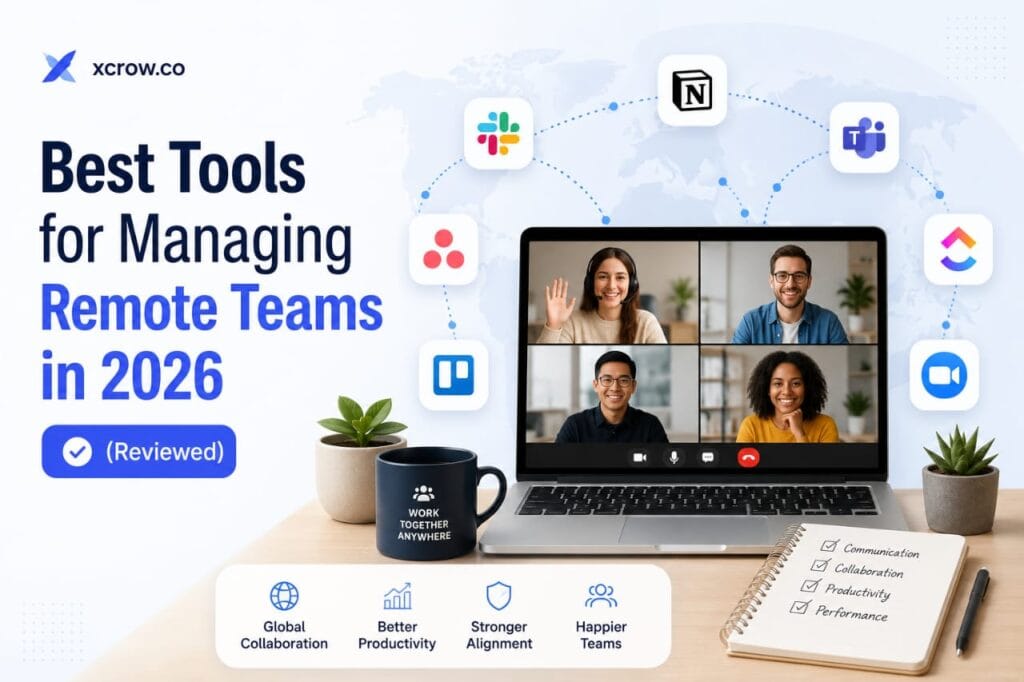
The Best Tools for Managing Remote Teams in 2026.
What a remote-team tool must solve
Before comparing software, map the work your team actually performs. List recurring tasks, approvals, deadlines, customer requests, documents, meetings, reporting requirements, and handoffs. Then decide which information should be visible to everyone and which information needs restricted access.
A small team may need only a task board, shared documents, messaging, and a reliable meeting service. A larger organisation may need role-based permissions, audit logs, identity management, retention policies, backups, and integrations with finance or support systems. More features are not automatically better: every additional application creates another place to search, configure, secure, and maintain.
Project management and task tracking
A project-management platform should answer four questions quickly: What needs to be done? Who owns it? When is it due? What is blocking progress? Asana is a strong fit for teams that need structured projects, dependencies, timelines, and rules. It can suit marketing campaigns, product launches, and multi-stage client work, although teams should avoid turning every minor action into a separate project.
Monday.com offers flexible visual boards and is useful for creative, marketing, and operations teams that want to customise workflows. Its flexibility is also a responsibility: without naming rules and ownership standards, a board can become visually attractive but operationally unclear.
ClickUp combines tasks, documents, goals, and time tracking in one environment. That breadth can reduce switching between applications, but configuration takes discipline. Start with a small number of statuses and views rather than enabling every available feature at once.
Trello remains a friendly choice for smaller teams with straightforward Kanban workflows. It is easy to adopt and easy to explain, though teams with complex dependencies, detailed reporting, or highly structured approvals may eventually need a more specialised setup.
Whichever platform you choose, define “in progress,” “ready for review,” “blocked,” and “complete” in writing. Every important task should have an owner, a useful description, a due date where appropriate, and a clear next action.
Messaging and communication
Slack and Microsoft Teams are useful for organised team conversation. Slack often appeals to smaller or cross-functional teams because of channels, search, integrations, and lightweight huddles. Microsoft Teams is especially practical for organisations already using Microsoft 365 because documents, calendars, meetings, and permissions can remain within one ecosystem.
Messaging needs operating rules. Use channels for topics instead of creating a new private conversation for every decision. Define what “urgent” means, set reasonable response expectations, and protect uninterrupted work. Important decisions should be copied into project documentation rather than left in a fast-moving chat stream.
A useful internal test is the “new starter test”: could someone who joined this week understand the decision without asking the original participants? If not, the team needs better documentation, not another chat channel.
Meetings and asynchronous work
Zoom and Google Meet both support remote meetings, screen sharing, recordings, and collaboration. Zoom is widely recognised and works well for many distributed teams. Google Meet is convenient for organisations already using Google Workspace. In practice, the better choice is usually the platform that fits your calendar, identity, security, and document systems with the fewest extra steps.
Do not use video meetings to compensate for poor documentation. A short written update can replace a status call when the information is routine. For meetings that are necessary, send an agenda beforehand, record decisions during the call, and finish with owners and deadlines. An asynchronous video or voice message can be more efficient than a long explanation when a screen demonstration is important.
Documents, knowledge, and file storage
Google Workspace, Microsoft 365, and Notion can support shared documentation, but information architecture matters more than the brand. Create a single home for policies, project briefs, meeting notes, templates, and frequently asked questions. Use consistent names, dates, owners, and review schedules.
Separate working documents from approved reference material. Limit editing permissions, review external access regularly, and remove access when contractors leave. A knowledge base should also have an owner; otherwise it becomes an archive of outdated instructions.
Security, privacy, and total cost
Review multi-factor authentication, role-based permissions, backups, data retention, administrator controls, export options, and integration access before choosing a platform. Avoid sharing one password across a team. Consider whether the service stores sensitive customer, employee, financial, or health information in a way that matches your legal and contractual obligations.
Calculate total cost rather than only the advertised seat price. Include paid users, guest accounts, storage, premium integrations, administration time, migration work, and training. A cheaper tool that requires extensive manual work may cost more over a year than a better-fitting paid plan.
A practical 30-day selection method
- Write down the five workflows the team must support.
- Choose one primary location for tasks and one for documents.
- Test the setup with a real project, not a fictional demo.
- Invite users from different roles and time zones.
- Record where people get confused, lose information, or duplicate work.
- Write short rules for statuses, channels, file names, and urgent requests.
- Review usage after 30 days and remove unnecessary tools or features.
This process produces more useful evidence than choosing software from a feature checklist. Pay attention to completion rates, unanswered questions, time spent searching, and the number of manual handoffs. Those observations are the most valuable first-party evidence your team can collect before committing to a larger rollout.
Frequently asked questions
What is the best tool for managing a remote team?
There is no universal winner. Trello may suit a small team with simple workflows, while Asana, Monday.com, or ClickUp may better fit structured projects. Choose based on the work your team must coordinate rather than popularity.
Should a remote team use one platform for everything?
Not necessarily. One platform can reduce switching, but forcing tasks, documents, chat, and meetings into an unsuitable system can create new problems. Use as few tools as possible while keeping each important type of information easy to find.
Is Slack or Microsoft Teams better?
Slack can be a good fit for flexible, cross-functional communication. Microsoft Teams may be more efficient for organisations already standardised on Microsoft 365. Compare search, permissions, integrations, guest access, and administration rather than choosing by appearance.
Are video meetings necessary for remote work?
No. Use meetings for decisions, sensitive discussions, collaboration, or situations where real-time interaction adds value. Routine status updates can often be handled asynchronously with a clear written format.
How can a remote team avoid notification overload?
Define urgent requests, reduce unnecessary channels, mute nonessential alerts, establish response windows, and document decisions outside chat. Leaders should model focused work instead of rewarding immediate replies to every message.
How should teams evaluate a new tool?
Run a time-limited pilot using a real workflow. Measure adoption, completion, search time, duplicate work, support questions, and administration effort. Collect feedback from both frequent users and people who rarely use the system.
Final thoughts
The best remote-team stack is not the one with the longest feature list. It is the smallest dependable system that helps people find information, complete work, communicate clearly, and protect their time. Choose tools around real needs, document how they should be used, measure what improves, and remove what adds friction.
Recommended Articles
How to Evaluate Freelancers Beyond Star Ratings

Israel Otoijamun is the founder of Xcrow, an AI-powered freelance marketplace connecting businesses with remote professionals. He has over 15 years experience in digital business, freelancing, technology, and online platforms. He writes about freelancing, remote work, hiring, digital payments, and the future of online work.